documents.
PDF, Word, Excel (.xlsx, .xlsb, .xls), PowerPoint, OpenDocument, EPUB, e-mail, RTF, text, HTML, CSV, JSON, XML and notebooks. Tables stay tables, and slides stay slides.
guide
What you see when you open index 0.7.1, what it can read and how much, how a team's index fits together, and what keeps it secure. Every screenshot is the app itself, with a sample project: a launch plan, a team handbook and a slide deck.
1 · ask
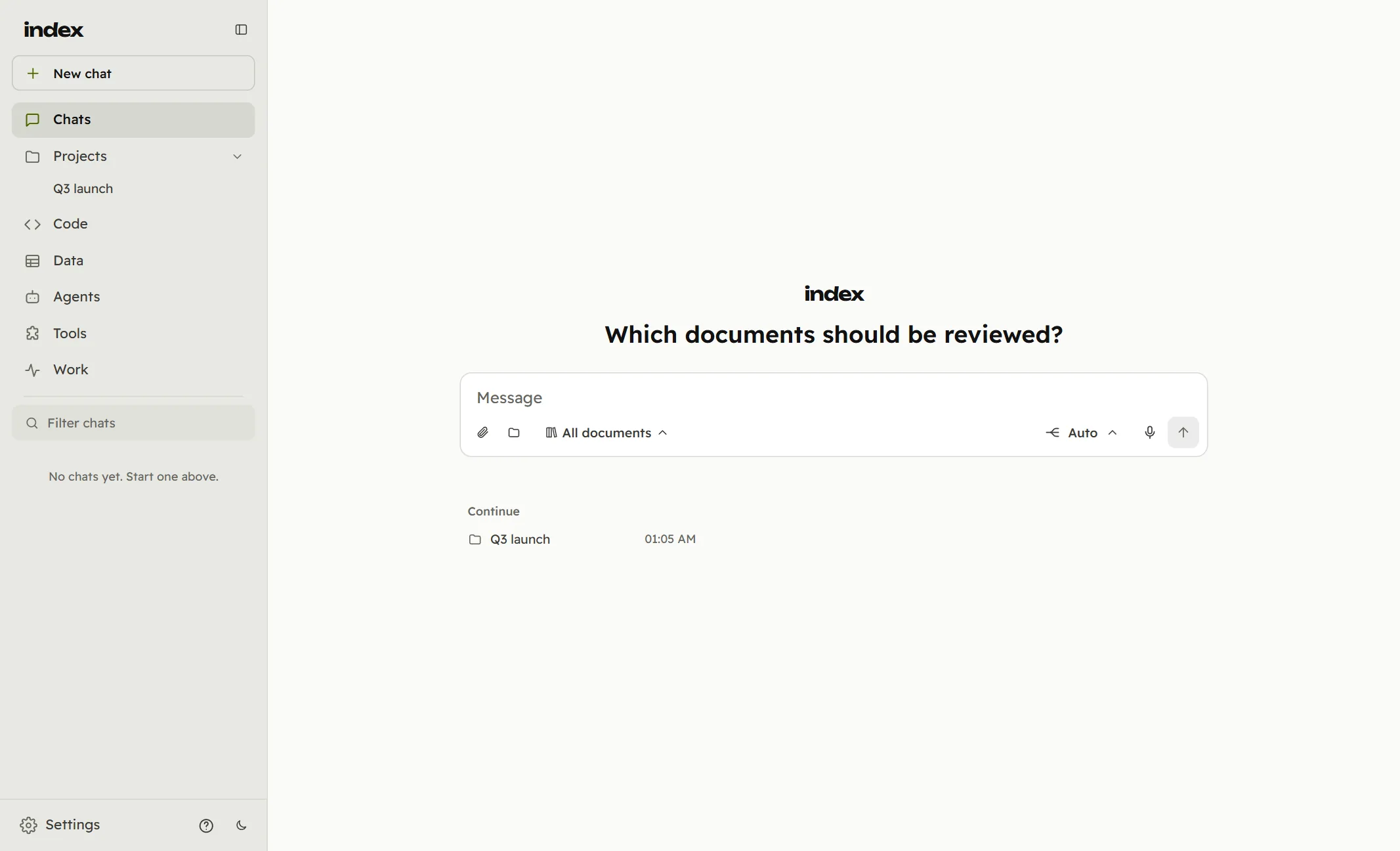
index opens on one message box. Ask anything: questions about your work are answered from your own documents, and the projects you were last in wait underneath.
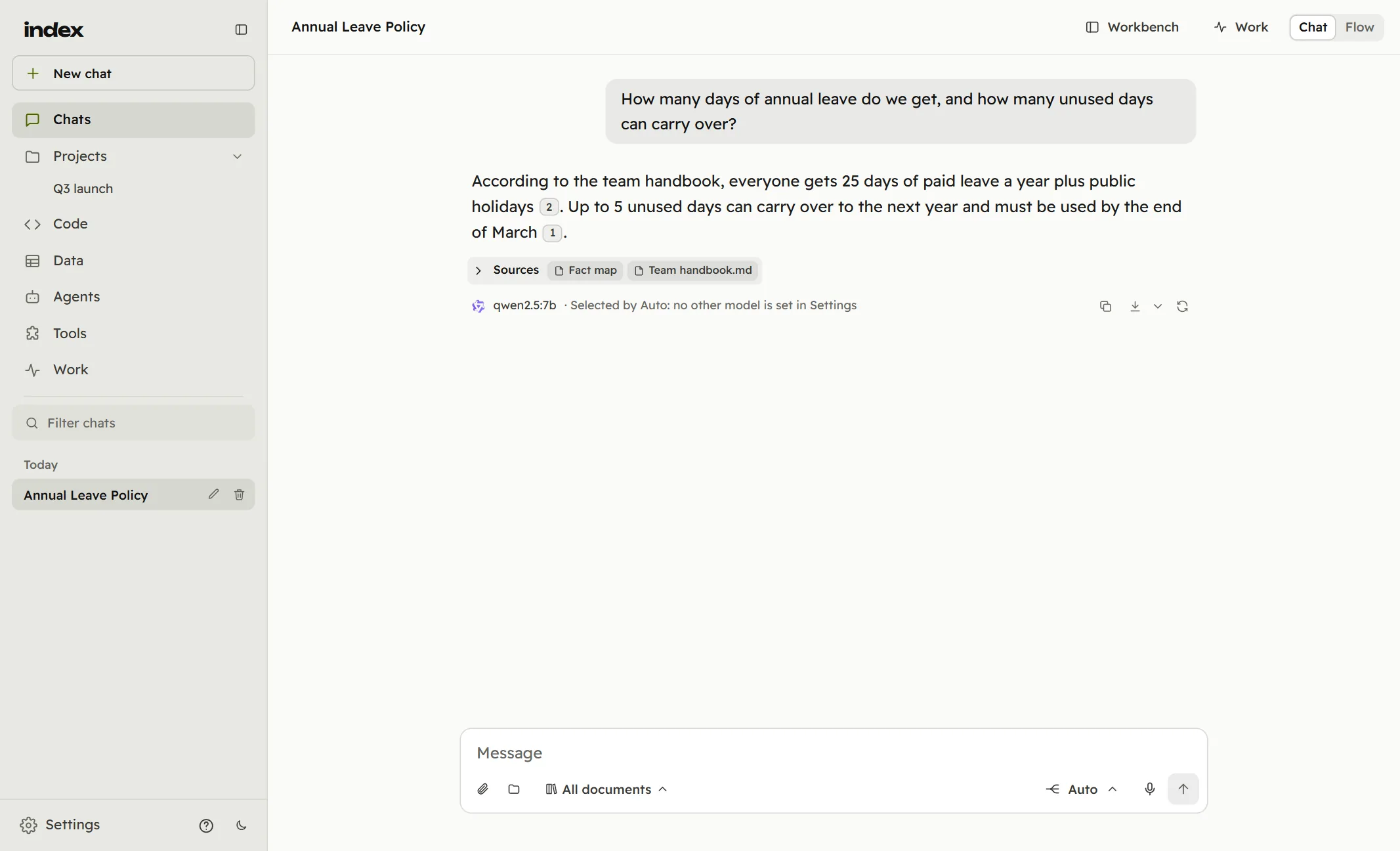
Asked about leave, index found the team handbook and answered from it, numbering each claim. The sources sit under the answer, with the model that wrote it and why it was chosen; a click on a number opens the passage.
2 · projects
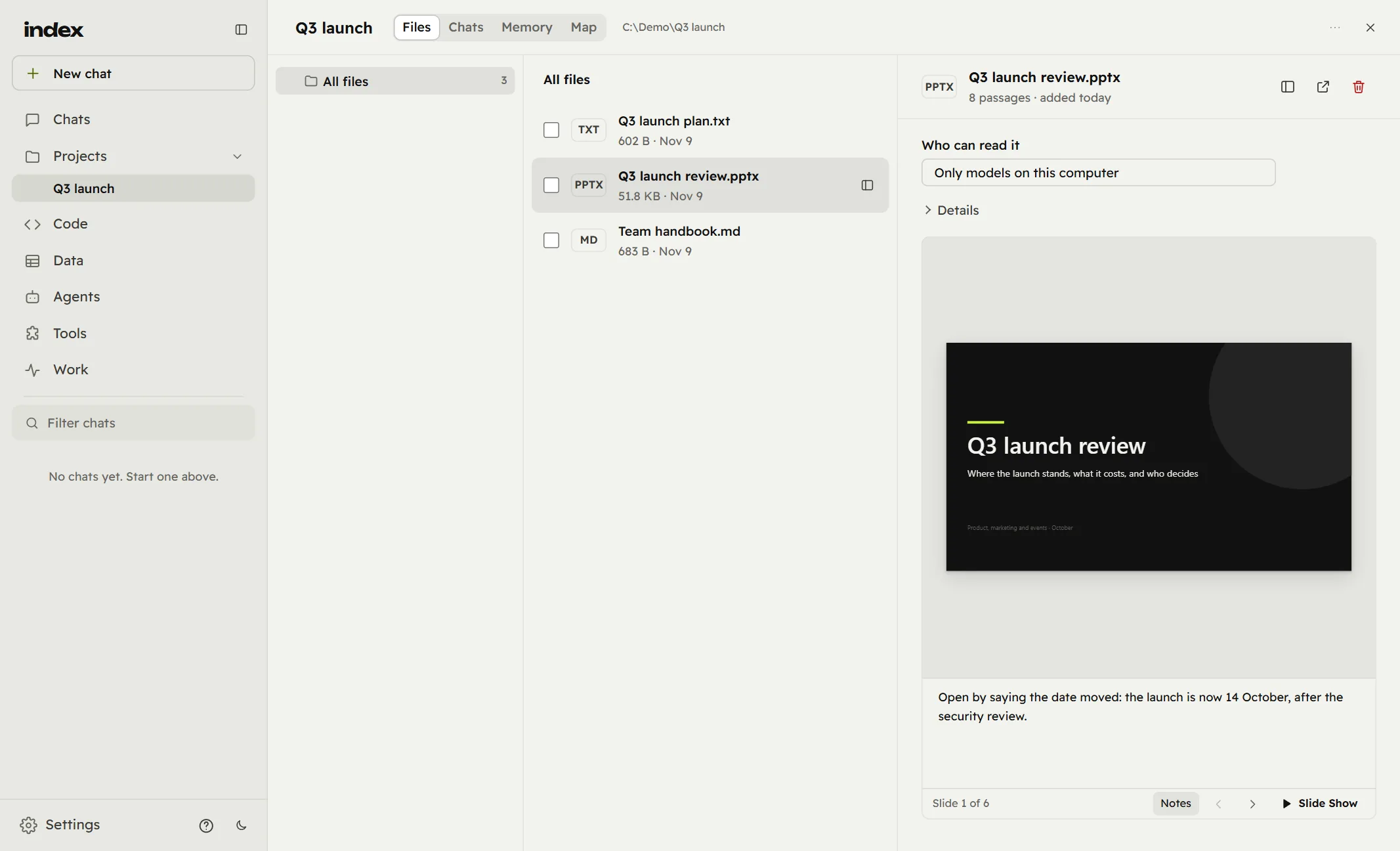
Point index at a folder and it becomes a project: its files as they are on disk, read on your computer, with the project's chats, memory and map beside them.
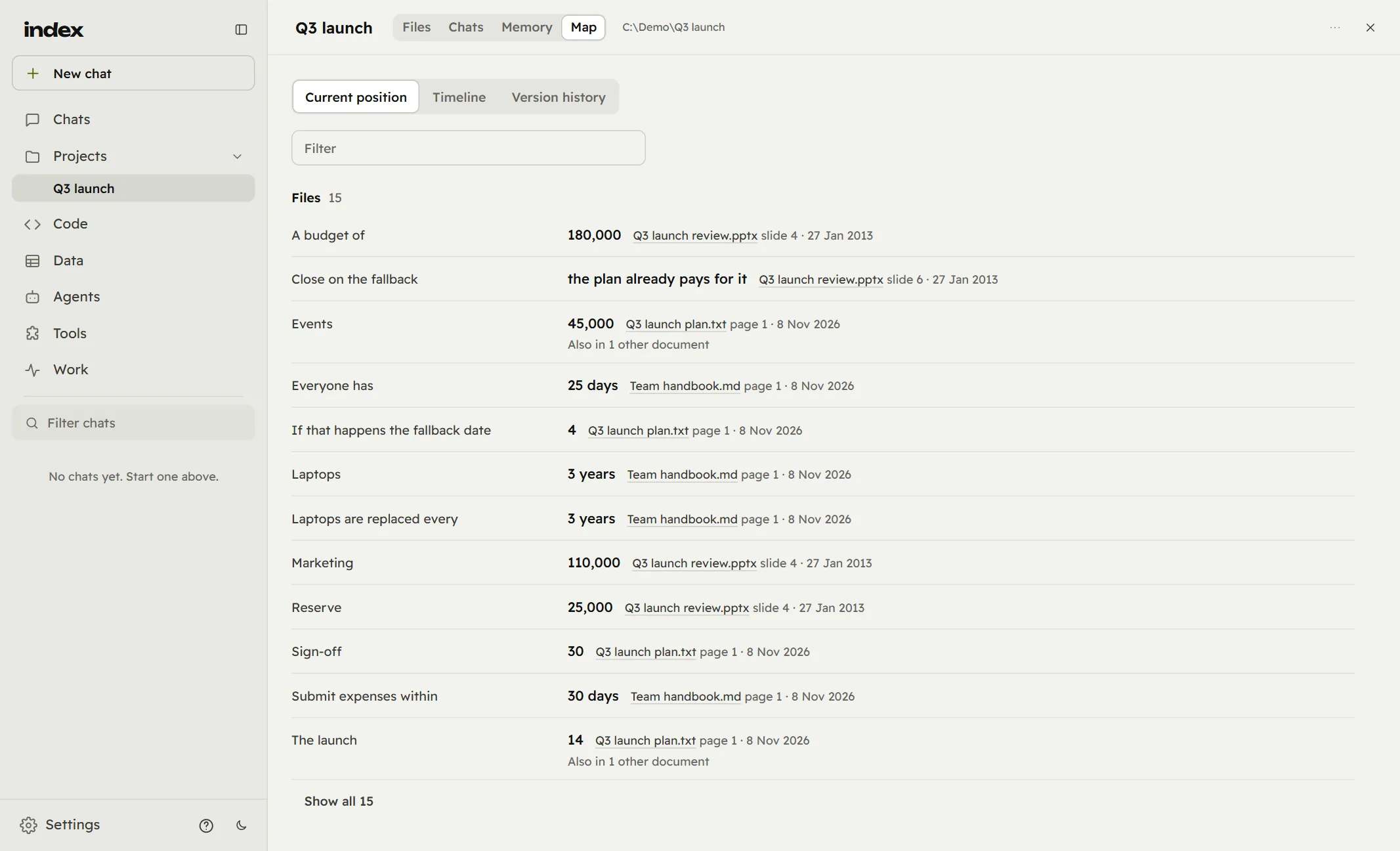
Map lists every figure and date the project's documents state, each with the file and the slide or page it came from. Where two documents say the same thing, or disagree, it says so; Timeline and Version history follow how they changed.
3 · what it reads
Whatever you add is read, on your computer: office files and scans, code, archives, and formats most tools turn away.
PDF, Word, Excel (.xlsx, .xlsb, .xls), PowerPoint, OpenDocument, EPUB, e-mail, RTF, text, HTML, CSV, JSON, XML and notebooks. Tables stay tables, and slides stay slides.
PNG, JPEG, TIFF, WebP, GIF, SVG and scanned PDF pages, read with a vision model. Charts and diagrams are described, not skipped.
Source code in any language and every kind of configuration file, from Python and SQL to YAML, kept exactly as written.
CAD drawings (DWG, DXF, STEP, IFC) and 3D models (STL, OBJ, PLY, glTF, 3MF): what is in them, their parts and their sizes.
DICOM images, genomics (FASTA, VCF, GenBank and more), protein structures, and graphs read as who connects to whom.
Zip files are opened and each file inside read. Anything else is read for the words inside it, never refused for its type.
A file you attach in a chat is ready as soon as it is read, and a cloud model is given the whole document, not excerpts. Scanned pages are the slow part, because each page is read by a vision model; with a cloud reader several pages are read at once. Big jobs can run on your organisation's server or a colleague's computer instead of yours.
4 · agents
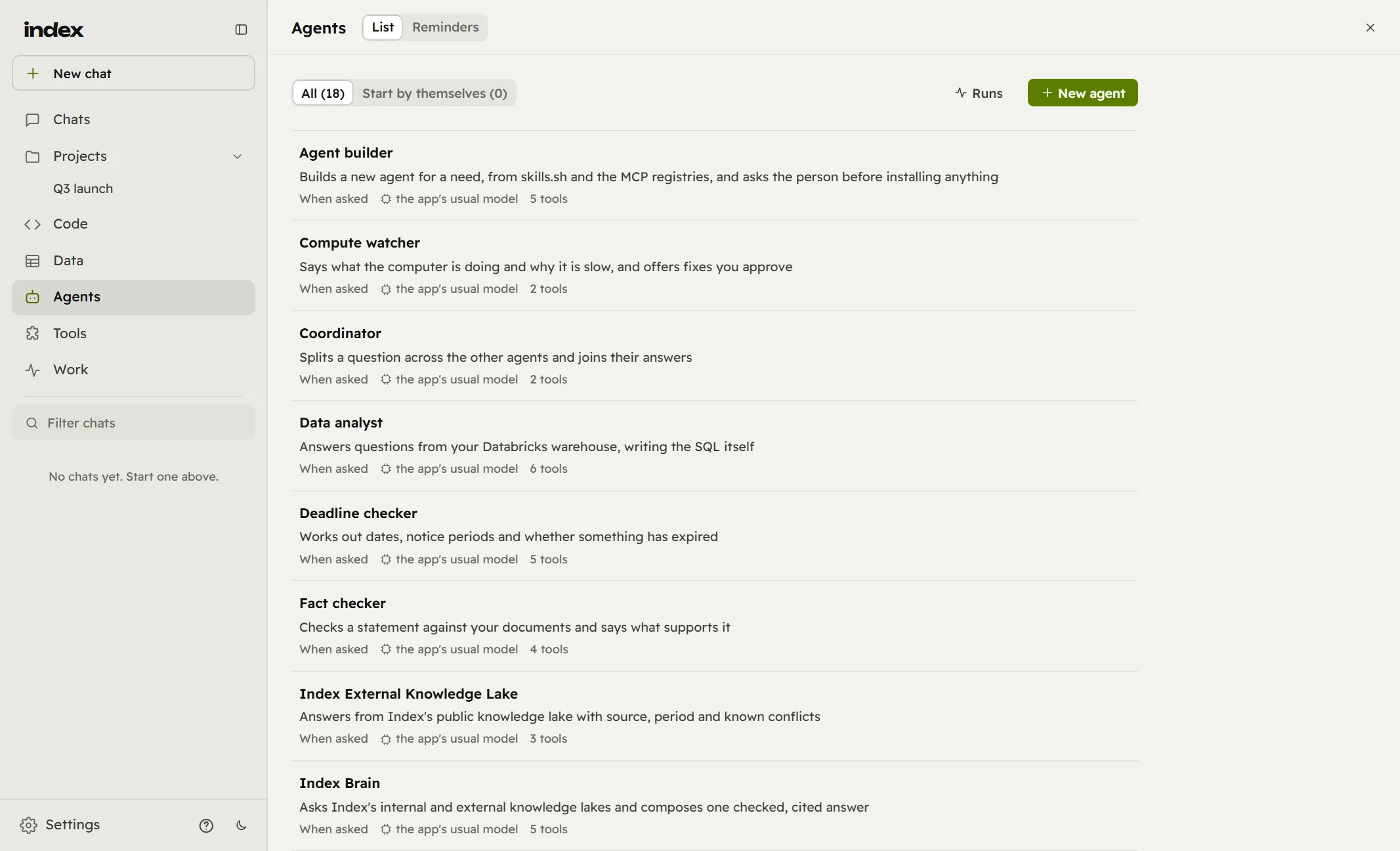
index comes with agents for the work documents bring: checking a statement against your files, working out deadlines and notice periods, answering from a warehouse, splitting a question across the others. Describe a new one and Agent builder drafts it for you to read first.
5 · code
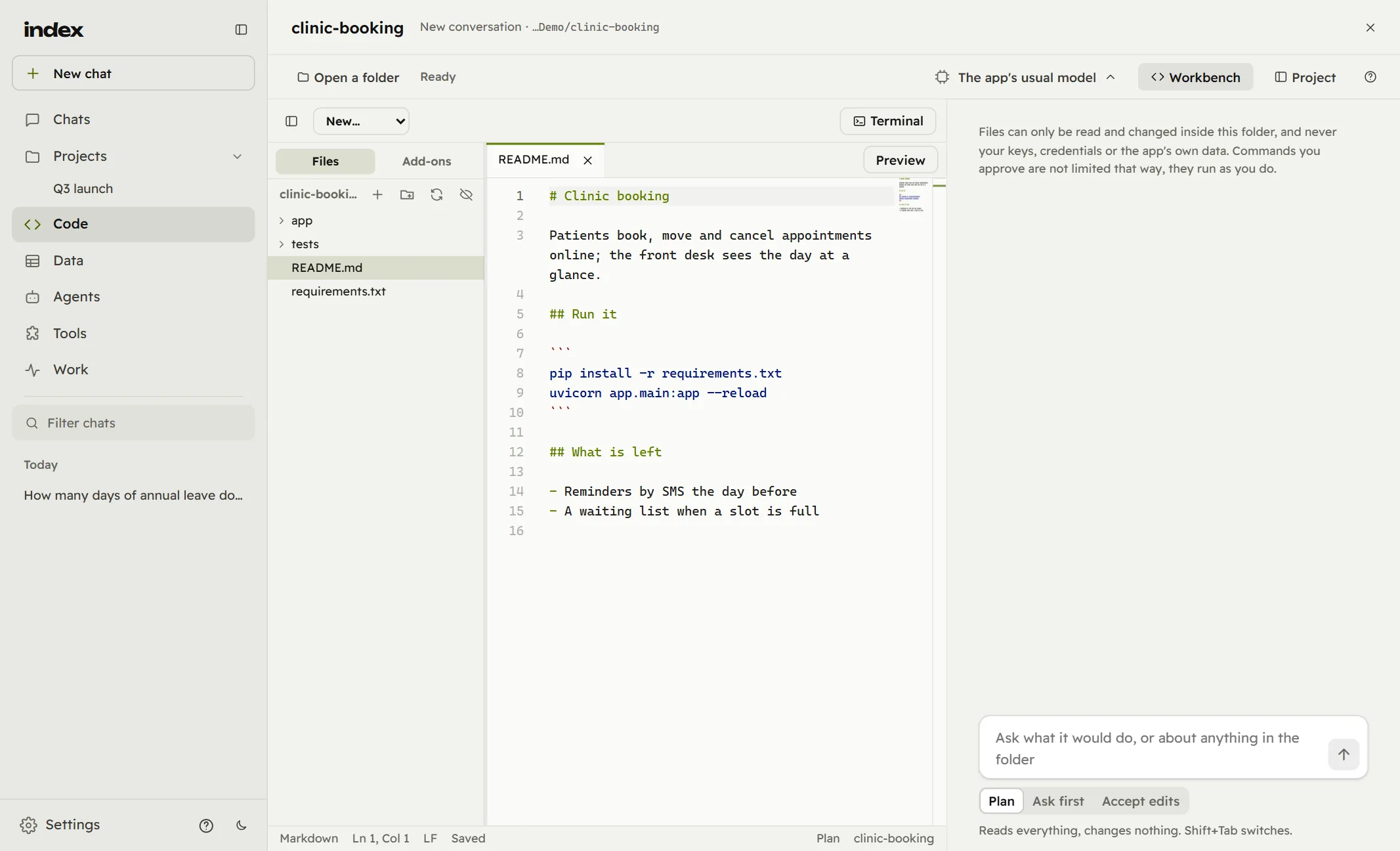
Code opens straight onto the workbench, in the folder you were last in: files, editor, terminal and Run, with an assistant beside them that plans before it edits.
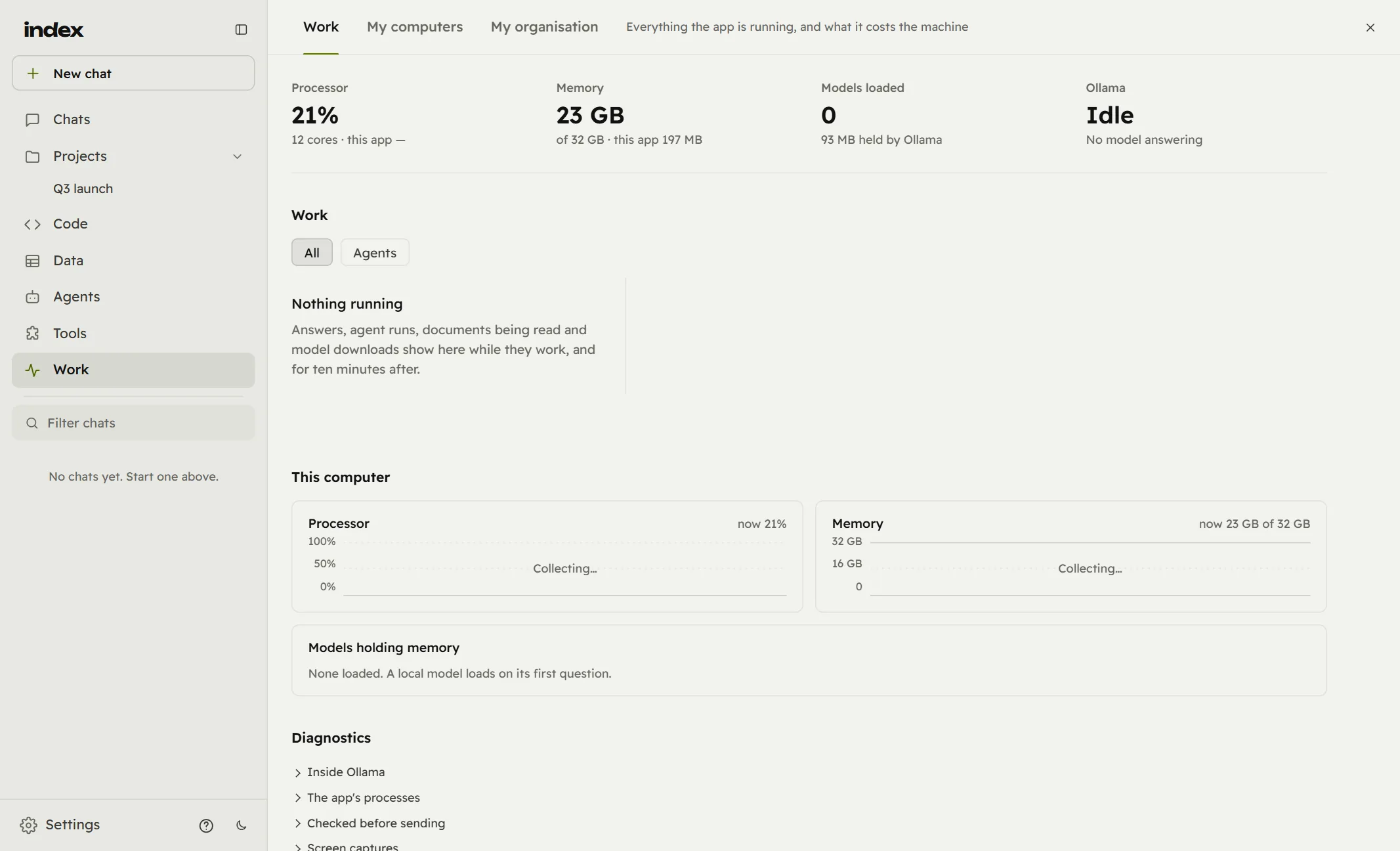
Work shows what index is doing and what it costs your computer: answers being written, agents running, documents being read, which models hold memory, and the checks made before anything is sent.
6 · settings
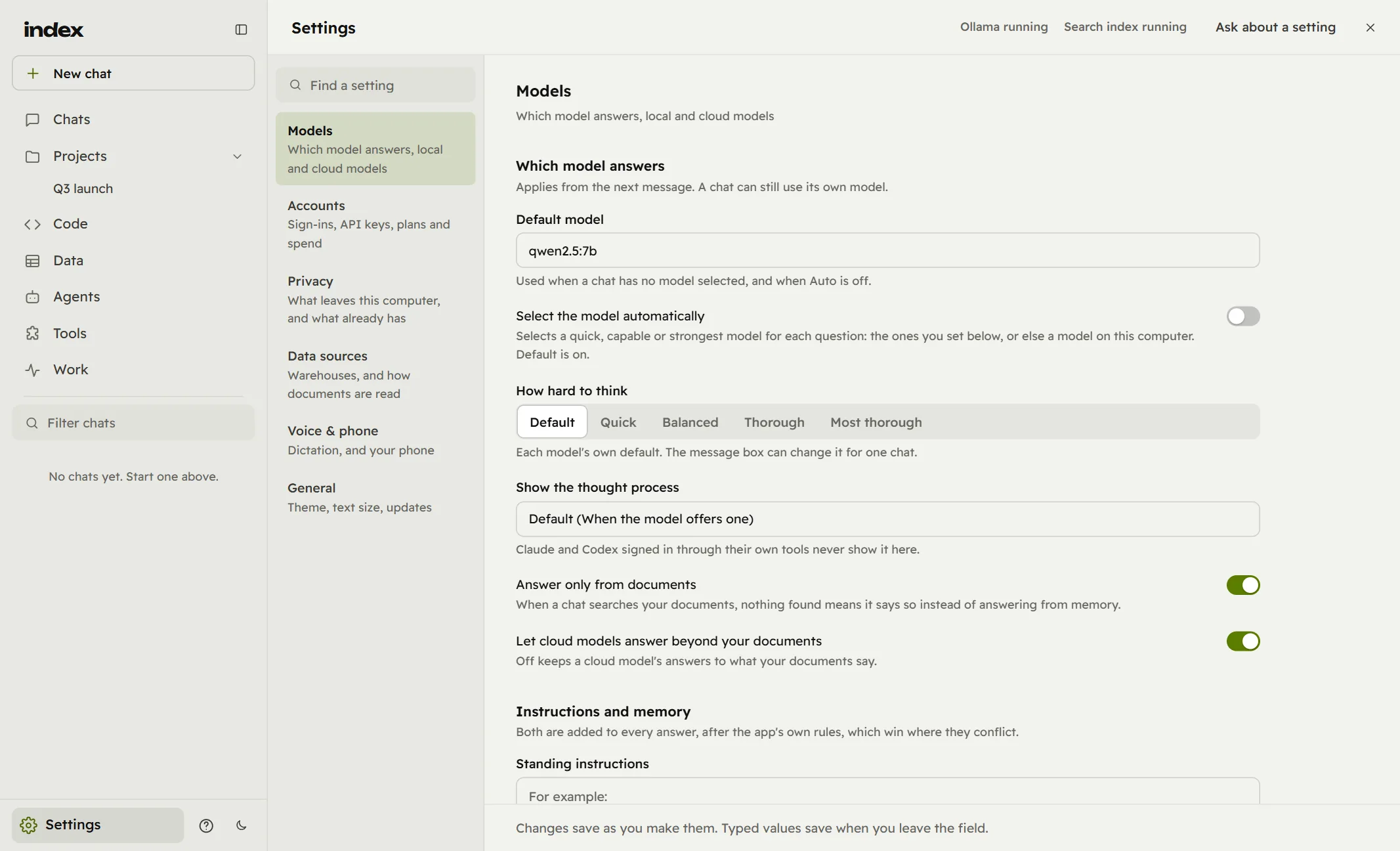
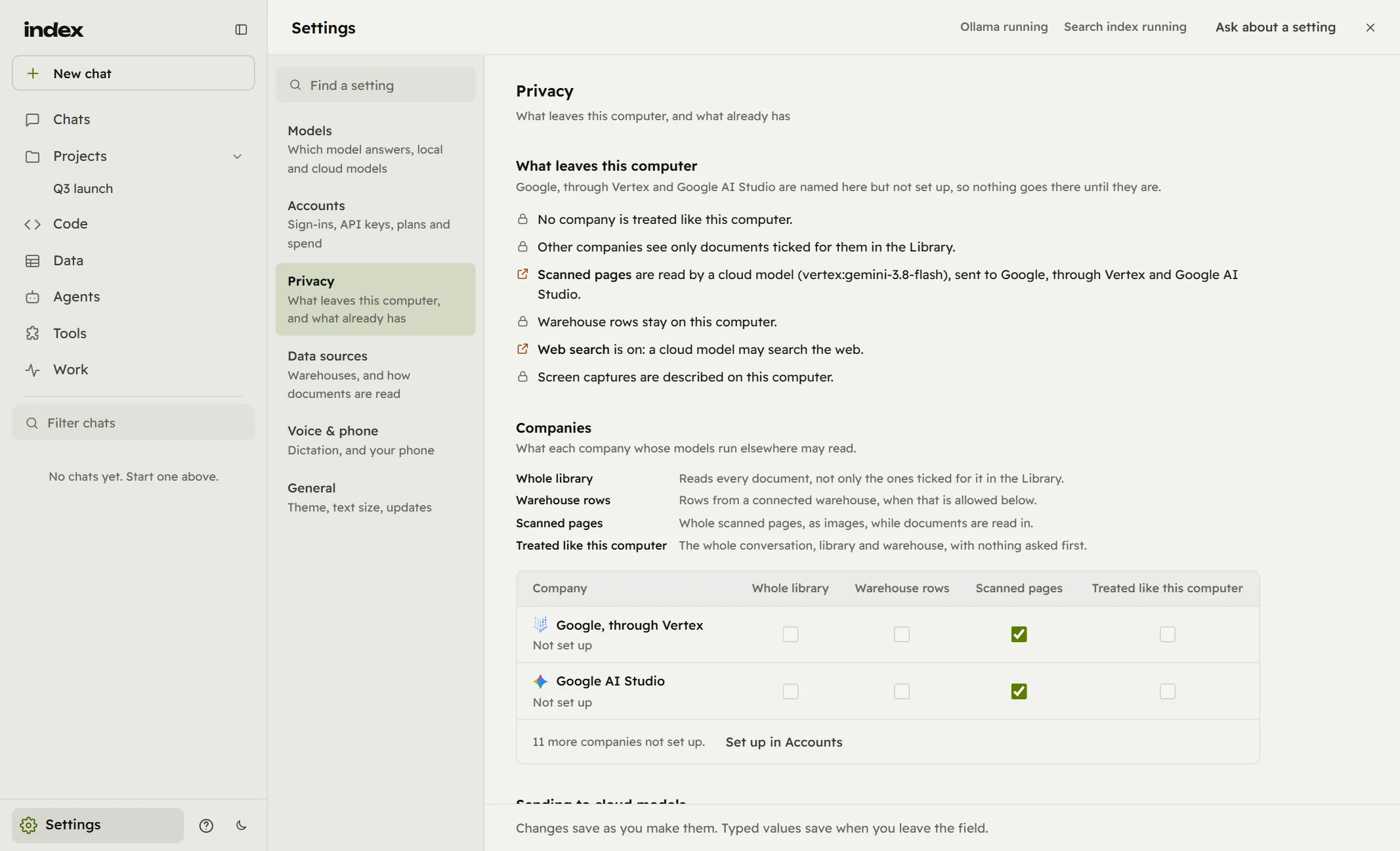
Six tabs, each saying what it is for, and a search across all of them. Changes save as you make them; Ask about a setting explains any of them in plain words.
Privacy says in one list what leaves this computer and what never does, then company by company what a cloud model may read. Nothing goes to a company that is not set up, and index can check each message for keys, ID numbers and internal addresses before it goes.
7 · three layers
index works alone on one computer. For a team it adds two layers above it, and each layer knows only what it needs.
The whole app: your documents, the models on it, your chats, agents and code. It works with no server and no network at all.
Your own server, in your data centre or cloud. People sign in by email; admins set policy, host models once for everyone and share work. With little or no policy, everyone keeps the full app. A web version serves phones and browsers.
Licences, updates and whether the service runs. It receives exactly four things from your server: its name, its version, its admins and how many people it has. Never a document, a chat or a list of users.
8 · security
Models run locally by default. Confidential documents are read only there. The app's engine answers its own window and nothing else: a new secret each launch, and requests from web pages or other programs are refused.
Cloud models see only the documents you allow, file by file. Messages are checked for keys, ID numbers and internal addresses before they go, and a Network page lists every connection the app makes.
Saved keys are kept by the operating system's credential store, not in a file. Your organisation password never leaves your device: index derives a key from it there, and the server keeps only a check of that key.
Encrypted connections only, sessions that cannot be borrowed by another site, sign-in attempts throttled, and an activity log that records what happened, never what anything said.
Updates are signed and checked before they install. Licences are signed files checked on your computer, so nothing calls home for everyday use.
Knowledge lakes carry their owner and where they may be kept. A governed collection stays within the organisation it belongs to.
see it for yourself
Five minutes with the real app and sample documents, or talk to us about your team.